


Money Manager : Track Expense
4.6116.00 Reviews
App Specs
- Version
- 10.4.12
- Updated On
- License
- Free
- Downloads
- 1,000,000+
- Developer
- xR Studio LLP
- Categories
- Finance
- Platform
- Android
Screenshots

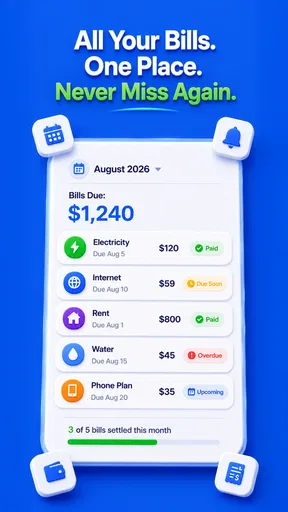


 Analysis by AppCompare
I tend to judge a money app less by its charts than by what happens when I’m in a hurry: can I record a purchase before I forget, and can I make sense of the result later? Money Manager: Track Expense is aimed at that everyday habit. It is a free finance app from xR Studio LLP, with a 4.8 average from around 8,400 ratings and over 500,000 installs. Its pitch is practical rather than flashy: keep spending visible, share costs, and use AI-assisted budgeting to make saving feel less like guesswork.
When a budget depends on being online
Connectivity matters most when an app is expected to do something beyond recording what I spend. Budgeting suggestions, shared expenses, account synchronization, and any cloud-based features can depend on an internet connection or on services being available. I would therefore treat the app’s budgeting guidance as something to check when it loads, rather than assume every feature will behave identically in a weak-signal spot. A useful habit is to enter the purchase promptly and review the budget later somewhere with a dependable connection.
That distinction also helps set expectations: a spending tracker is only as useful as the records I keep. If a café is noisy and I am rushing out, I would make a quick note first and tidy the category when I have a moment, rather than trust a half-finished entry to explain itself later. The more consistent the log, the more meaningful the patterns become; no connection can compensate for purchases that never make it into the record.
Made for brief mobile check-ins
The strongest everyday fit is someone who wants to check money in small moments, not spend an evening maintaining a complicated spreadsheet. A quick look after grocery shopping, a review while waiting for a train, or a check before making a nonessential purchase can turn a vague sense of “I should slow down” into a more useful decision. The app’s appeal is that those check-ins can be part of a routine rather than a separate financial project.
For a shared meal, for example, I might record what I paid while the details are fresh, then use the bill-splitting tools to keep the group cost straight. Later, I can compare that outing with the rest of my discretionary spending instead of relying on a bank balance that combines everything. This is a better fit for informal shared costs than for someone who needs a formal accounting workflow with approvals, invoices, or business reporting.
What to do when records need correcting
Any tracker can become misleading if a purchase is duplicated, placed in the wrong category, or forgotten altogether. I would make a short weekly review part of using it: scan recent entries, correct obvious mistakes, and look for transactions that need a clearer label. This is more useful than waiting until the end of the month and trying to reconstruct several weeks from memory.
Connectivity can complicate the timing of that review. If a chart or budgeting feature is slow to refresh, I would avoid making a big financial decision from a single screen that may not reflect the latest information. Check the underlying entries, try again when the connection is stable, and use another trusted record for anything urgent. That is a sensible safeguard for any personal finance app, not a reason to treat a delayed display as proof that a payment or expense vanished.
Worth Reading Before You Choose

EA SPORTS FC Mobile 26 Is a Bigger Football Game, but It Takes Time

Flipboard Shows What News Apps Must Do Beyond the Feed

Switching to Android Auto Means Rethinking Your Driving Routine

Google Calendar Makes a Crowded Week Easier to Manage

Ludo King Makes the Most of the Minutes Between Plans

Baby Panda World Brings Quick Play to Modern Phones, but Its Game Library Feels Busy
Keep sensitive habits deliberate
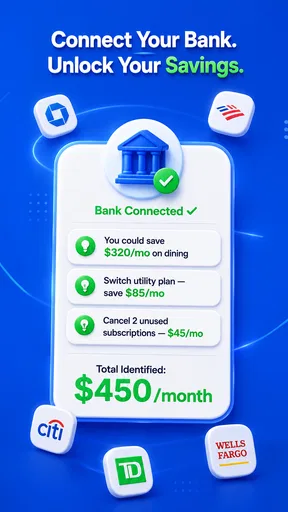
Finance records can reveal routines even when they do not include bank credentials, so I would still be thoughtful about where I open the app and who can see the screen. The app is described as not requiring sensitive banking information, which may suit people who prefer manual control over linking accounts. That choice has a trade-off: manual entry takes attention, while automatic account connections in other money tools can reduce effort but ask the user to accept a different level of access and dependence on connectivity.
I would also avoid treating an AI-generated budget suggestion as a decision-maker. It can be a useful prompt to notice a pattern, but personal context matters: a one-off repair or a month with unusual travel should not automatically become the new normal. Use recommendations as a starting point, check them against your actual plans, and keep categories meaningful enough that the resulting picture helps you act.
Getting Started with Money Manager
First off, let's talk about setting up. The installation process is as smooth as silk. You can find Money Manager: Track Expense on both Android and iOS platforms. Once you’ve downloaded it, setting up your account is a breeze. You can sync it with your existing accounts, or go old school and enter everything manually.
As soon as you open the app, you're greeted with a clean, intuitive interface. No confusing buttons or unnecessary features cluttering up the screen. It's all about simplicity and efficiency, which is a huge relief for folks like me who aren't financial wizards.
Features that Make a Difference
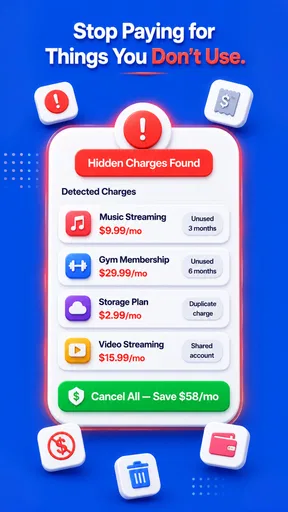
Now, onto the features. One of the things that caught my eye was the budgeting tool. It lets you set monthly limits on different categories, like groceries, entertainment, and bills. The app then tracks your spending in real-time, alerting you if you're about to blow your budget.
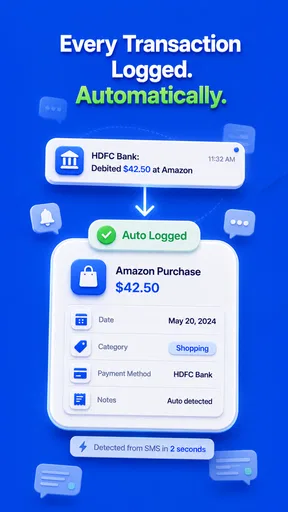
Another nifty feature is the expense tracking. You can log every purchase with just a few taps. Plus, it supports multiple currencies, which is a lifesaver for travelers. The app automatically categorizes your expenses, and you can even snap photos of receipts. It's like having a digital filing cabinet, without the paper cuts.
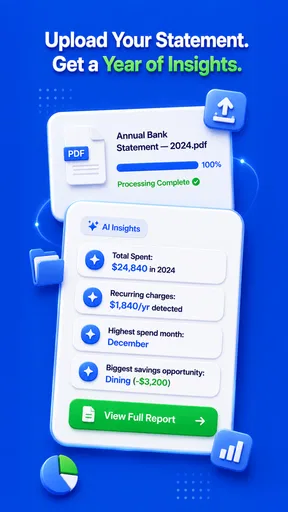
What’s really cool is the visual breakdown of your finances. The app provides charts and graphs that show exactly where your money is going. It’s an eye-opener to see just how much those daily coffees add up!
Security and Ease of Use
With any financial app, security is a top concern. Thankfully, Money Manager: Track Expense has got you covered. It uses a PIN or fingerprint lock to keep your data safe from prying eyes. Plus, the app doesn’t require sensitive banking information, which is always a plus in my book.
In terms of user experience, the app is seamless. Navigating through the various features is as easy as pie. Whether you're a tech-savvy millennial or someone who still struggles with setting up a VCR, you'll find this app user-friendly.
Final Thoughts
So, is Money Manager: Track Expense worth downloading? In my humble opinion, absolutely! It's a fantastic tool for anyone looking to take control of their finances. Whether you're saving for a big purchase or just trying to keep track of daily expenses, this app has got your back.
It’s not just about managing money; it’s about gaining peace of mind. Knowing exactly where your money goes and having the ability to plan ahead is empowering. So, if you're tired of wondering where your money went, give this app a try. It might just be the financial game-changer you’ve been looking for.
Ready to take the plunge? You can find the download links right here on our site. Happy budgeting!
Choosing the right level of control
Compared with a bank’s built-in spending view, a dedicated tracker can make budgeting and shared costs feel more intentional, but it may ask me to do more of the organizing myself. Compared with a spreadsheet, it offers a more immediate mobile routine and visual summaries, while a spreadsheet gives careful users more freedom to shape formulas and reports. I would pick this app when I want a guided, approachable record, not when I need every field or calculation tailored to a complex household or business setup.
The manual-versus-sync choice is worth making consciously. If I enter purchases myself, I can decide what gets recorded and avoid making account access the center of the experience, but I also need a dependable habit. A practical compromise is to log cash and card purchases as they happen, then do a weekly pass to catch omissions and adjust categories. If the app’s syncing fits your setup, it may save effort; if it doesn’t, the manual route remains the more deliberate way to keep a personal ledger.
Small routines that make the numbers useful
Receipt photos are most valuable when I use them to resolve uncertainty, not as a substitute for reviewing spending. If a grocery receipt includes household items and a treat, I can use the image as a reminder when checking the entry later. Likewise, multiple currencies are handy for a trip, but I would keep travel purchases easy to recognize in the log; otherwise, a month’s charts can mix ordinary home spending with a one-off holiday and suggest a pattern that is not really there.
Another useful approach is to set category limits only for areas where I am willing to change behavior. A limit on groceries can be informative if I review it before the next shopping trip; a long list of limits that I never check becomes administrative noise. I would start with a few categories that regularly surprise me, then expand only if the charts reveal a reason. That keeps the app’s visual breakdown connected to decisions rather than turning budgeting into a contest to fill in every box.
Who will get the most from it
I can see this working especially well for someone who wants a clearer view of everyday outgoings, is comfortable making occasional manual corrections, and prefers straightforward screens over a finance tool built for specialists. It may also suit friends or couples who regularly share meals or small household costs and want a record that is easier to revisit than a stream of messages. Its Everyone age rating makes it broadly accessible, though younger users should still have an adult help them think through personal financial information and app purchases.
I would steer away from it if you need bookkeeping for a business, detailed tax preparation, or a guaranteed live view of every account before making decisions. It is also a poor match if you know you will not record purchases and do not want to review them later; an attractive chart cannot repair an incomplete log. People who strongly prefer their bank to categorize transactions automatically may be happier with the bank’s own tools or a service designed around account aggregation.
Cost, version, and a sensible trial
The app is free to download, with in-app purchases ranging from $0.99 to $99.99 per item, so I would check the purchase details in the app before paying for anything and decide whether the added value matches how often I will use it. Its current version is 10.2.0, and it requires Android 8.0 or later. It was released on December 6, 2024; those details are useful when checking device compatibility, especially on an older phone.
For a low-pressure test, I would use it for a normal week rather than immediately reorganize every past expense. Enter purchases soon after paying, keep category names understandable, and review the charts once the week is complete. That trial answers the practical questions that matter: whether logging feels quick enough, whether the summaries reflect the way you think about money, and whether the budgeting prompts help you make a choice. If it feels like extra bookkeeping instead of useful feedback, a simpler notes-based habit may be the better fit.
My connectivity verdict
For me, the app’s best role is as a regular spending companion, not as the single source of truth for urgent account decisions. Network quality can shape how smoothly connected or AI-assisted parts of a finance app behave, while careful manual records and sensible review habits keep the core budgeting process grounded. I would use it to notice patterns, plan a category limit, and keep shared spending from slipping through the cracks, then verify anything time-sensitive against the relevant account or receipt.
That balance is why I would recommend giving it a try if you want a visual, approachable way to build awareness and are willing to stay involved in your records. The 4.8 average and broad adoption suggest many people find the approach appealing, but the right test is whether it fits your own routine. Treat the app as a helpful prompt rather than an authority, and its mix of tracking, budgeting, and bill splitting can make everyday money decisions feel less hazy.
Pros
- User-friendly interface for easy navigation.
- Customizable categories for personal tracking.
- Real-time expense tracking boosts accuracy.
- Secure data backup for peace of mind.
- Cross-device sync keeps data consistent.
Cons
- Limited features in the free version.
- Ads can be intrusive during use.
- No automatic bank sync available.
- Occasional app crashes reported.
- Requires manual input for transactions.
FAQs for Money Manager : Track Expense
What features does Money Manager: Track Expense offer?
Money Manager: Track Expense provides a comprehensive suite of features, including expense tracking, budget planning, and financial reporting. Users can categorize expenses, set monthly budgets, and view detailed reports. The app also supports multiple currencies and includes options for data backup and synchronization with cloud services.
Is Money Manager: Track Expense secure to use?
Yes, Money Manager prioritizes user security by implementing data encryption and secure login options such as PIN or biometric authentication. Additionally, the app does not store sensitive financial information on external servers, ensuring that your data remains private and secure.
Does Money Manager: Track Expense support multiple accounts?
Absolutely, the app allows users to manage multiple accounts simultaneously. Whether you have different bank accounts or want to track cash expenses separately, Money Manager provides an organized way to view and manage all your financial data in one place.
Can I use Money Manager: Track Expense offline?
Yes, Money Manager can be used offline without any issues. You can track expenses, view reports, and manage budgets without an internet connection. Once you reconnect, the app will sync your data with the cloud if you have enabled that feature for backup.
Is there a cost associated with using Money Manager: Track Expense?
Money Manager offers a free version with basic features. For more advanced functionalities like detailed reports, ad removal, and additional customization options, users can opt for a premium version through in-app purchases. The pricing is competitive and offers good value for those needing advanced tools.


